Article valid for SOLIDWORKS 2026 and older.
SOLIDWORKS has a limitation when importing STEP files containing mesh elements as generated by CATIA. As a result, importing the files takes a long time and the resulting SOLIDWORKS files are very large due to the facetting of the surfaces and are very difficult to handle.
At SOLIDWORKS R&D this misbehavior is documented in "SPR1137562 - ability to import POLY_LOOP entities as meshes".
Manual workaround:
It is necessary to change the STEP file from AP214 to AP242 manually.
To do this, open the STEP file using a suitable text editor (eg EmEditor, also suitable for large files) and edit it by changing the following line in the header
FILE_SCHEMA (('AUTOMOTIVE_DESIGN { 1 0 10303 214 3 1 1 }'));
replaced by this
FILE_SCHEMA( ('AP242_MANAGED_MODEL_BASED_3D_ENGINEERING_MIM_LF {1 0 10303 442 1 1 4 }') );

• After saving, import this file again into SOLIDWORKS with the "Include PMI" option.
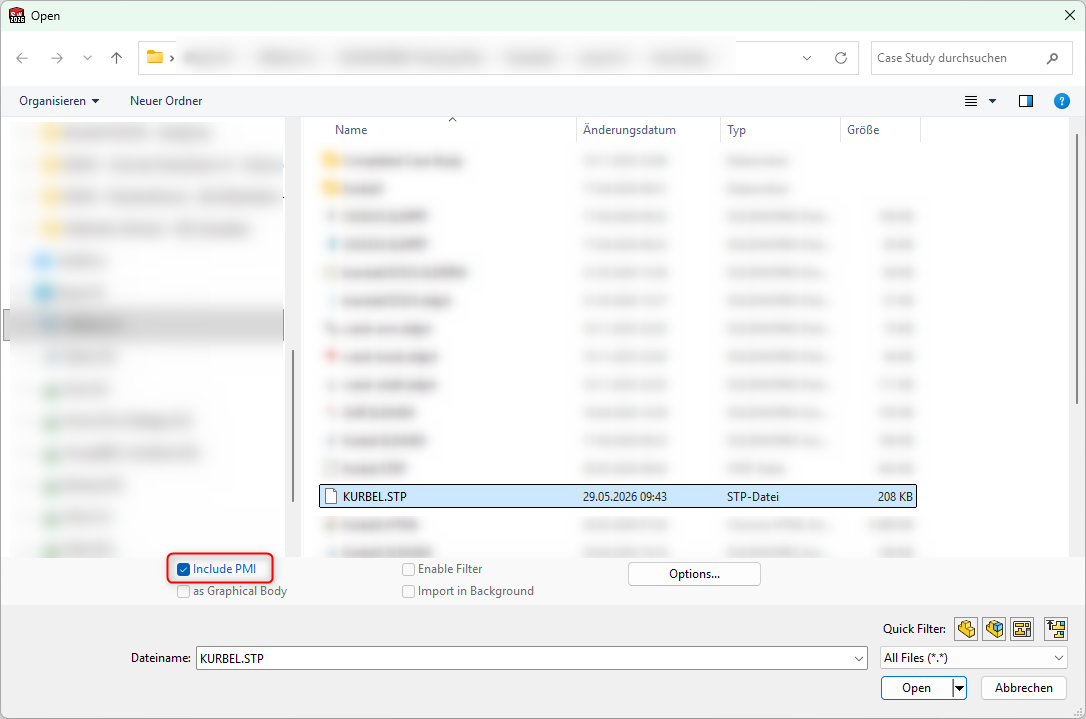
IMPORTANT! To use the "include PMI" functionality, you need to have an MBD license!