When you purchase SOLIDWORKS, you may have access to additional licenses as a maintenance customer.
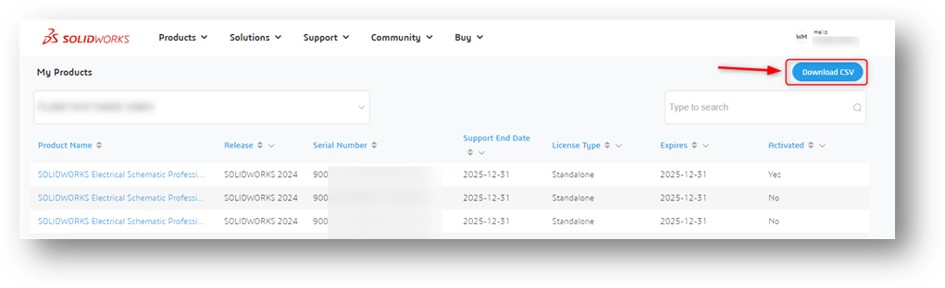
As a Security Admin (see below), you can view which licenses are assigned to your organization on the following webpage https://myproducts.solidworks.com/. A 3DExperience account is required to log in.
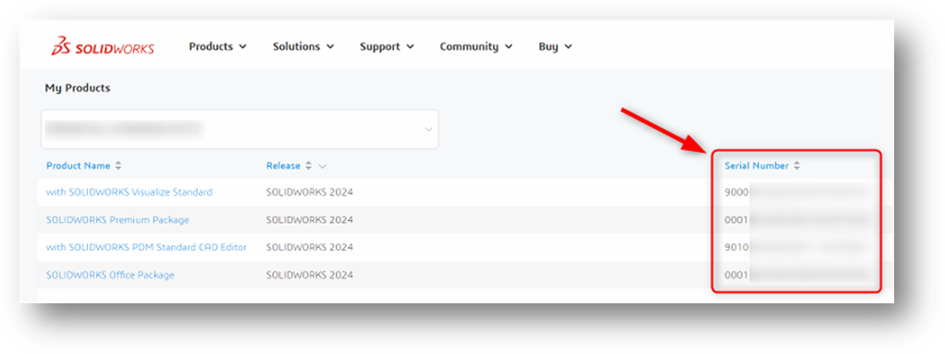
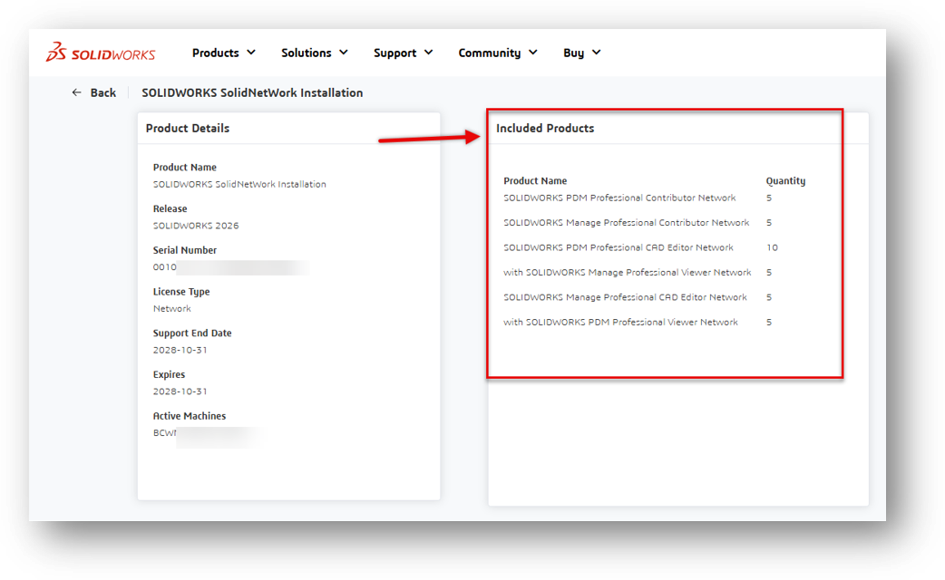
If you click on a network license entry in the ‘Product Name’ column, you will be taken to another page showing an overview of the products included.
If no licenses are listed and you are a Security Admin, please simply reload the page if necessary. Clear your cookies.
No Security Admins will receive the following message.
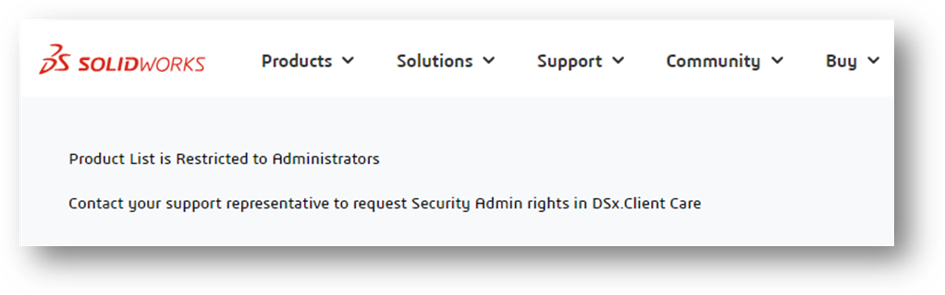
Log in with your 3DExperience account at https://dsxclient.3ds.com/ to view your organization's accounts. Users designated as Security Admins can view the licenses.
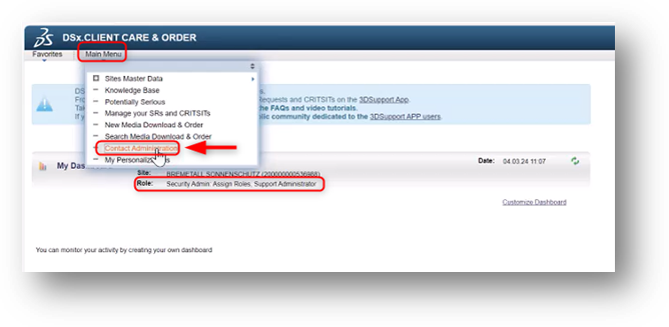
Note:
If you wish to know on which devices your organization's licenses are being used, export a CSV file under Download CSV which contains the activated licenses, including computer names.
If the information is not visible or you are unable to log in, please contact our technical support.